Introducing TemplateX: WordPress Theme Development can be elegant

Shento Hendriks
-31 May, 2026
For me WordPress theme development has always felt strangely split in two: on one side, WordPress is still one of the best tools for content-managed websites. The admin is familiar, the plugin ecosystem is huge, custom fields are powerful, and clients usually understand it. On the other side, building custom themes often feels older and messier than it needs to.
You write PHP inside HTML. You remember where The Loop has to exist. You wire up assets in functions.php. You create blocks by spreading logic across block.json, PHP render callbacks, JavaScript editor files, CSS, and ACF field definitions.
I wanted something different.
Not a headless setup. Not a JavaScript app pretending WordPress is only an API. Not a giant framework that replaces the way WordPress works. I wanted to keep WordPress, but make the theme layer feel cleaner.
I just wanted plain old WordPress where I just have to install a simple plugin I could use everywhere, and write HTML primarily, and then fetch some data whenever I need it.
That is why I built TemplateX.
The website you are reading right now is built with it. And it’s still under heavy development.
The problem is not WordPress
I do not think the problem is WordPress itself.
WordPress has a lot of old parts, but it also solves many boring, important problems very well: routing, content editing, media management, users, menus, taxonomies, plugin integration, previewing, publishing, and admin workflows.
For me personally, the frustrating part is the theme development experience around it.
A simple single.php file can quickly become a mix of responsibilities:
<?php get_header(); ?>

<?php if ( have_posts() ) : ?>
  <?php while ( have_posts() ) : the_post(); ?>

    <main class="prose">
      <h1><?php the_title(); ?></h1>
      <?php the_content(); ?>
    </main>

  <?php endwhile; ?>
<?php endif; ?>

<?php get_footer(); ?>
This is fine for small themes. It is even pleasant when the project is tiny.
But as soon as the site becomes grows, things start to get messy. You add reusable sections. You add custom blocks. You add ACF fields. You add editor styling. You add Tailwind or another build system. You add WooCommerce. You add image sizes.
At that point, the theme stops feeling like a clean layer of presentation. It becomes a place where routing, querying, rendering, asset loading, block registration, editor styling, and framework glue all compete for space.
That is the part I wanted to improve.
Why not just use Timber, Blade, or Sage?
There are already good attempts to make WordPress theme development nicer.
Timber gives you Twig templates. Sage gives you Blade, modern tooling, and a more Laravel-like structure. Other setups move WordPress into a headless architecture and let React, Next.js, or another frontend framework take over.
Those approaches can be great. But they did not quite match what I wanted.
I did not want to split every template into a PHP controller file and a separate template file. I did not want the theme to feel like an app that happens to use WordPress. I did not want custom blocks to require a separate mental model from normal theme markup. I also did not want to lose the simplicity of opening a view file and understanding the HTML that will be rendered.
The goal was smaller and more specific: I wanted to write WordPress themes as clean, component-like view files, then compile those files into normal WordPress PHP.
In other words, WordPress should still do WordPress things. The theme author should get a nicer source language.
The idea behind TemplateX
TemplateX treats your theme views as source files.
You write templates in resources/views. They look mostly like HTML, with small TemplateX expressions where WordPress data belongs. The compiler then turns those files into WordPress-compatible PHP. This way of writing is very inspired on Antlers from Statamic CMS.
The important part is that TemplateX does not try to remove WordPress from the runtime. It compiles into WordPress. The output is still PHP. The output still uses the template hierarchy. The output still uses WP_Query, the_post(), wp_head(), body_class(), wp_footer(), registered blocks, image sizes, and normal WordPress APIs.
The abstraction lives at development time.
That distinction matters. I do not want a theme system where the production website depends on a complicated runtime just to render a heading. I want a theme system where the source files are pleasant, but the generated output remains boring and WordPress-native.
A simple TemplateX template can look like this:
<article class="prose">
  <h1>{{ title }}</h1>
  {{ content }}
</article>
That is the kind of file I want to read when I am working on a theme.
I do not want to think about escaping every title manually. I do not want to write The Loop again. I do not want to wire the layout by hand every time. I want to describe the page.
TemplateX turns that into the WordPress PHP required to render it safely and correctly.
Views, layouts, partials, and templates
With TemplateX, a theme can have layouts, partials, block views, and a theme-side functions.php source file. The compiler understands those roles and writes compiled output to the theme’s compiled directory.
A layout owns the document structure. See it as a wrapper.
<!doctype html>
<html>
<head>
  <meta charset="UTF-8">
  <meta name="viewport" content="width=device-width, initial-scale=1">
  <link rel="stylesheet" href="main.css">
</head>
<body>
  <Header />

  <main>
    {{ slot }}
  </main>

  <Footer />
</body>
</html>
A template owns the content for a specific WordPress route:
<article class="prose">
  <h1>{{ title }}</h1>
  {{ content }}
</article>
A partial owns reusable markup:
<a class="button" href="{{ href }}">
  {{ slot }}
</a>
This is not a radical idea. It is how most modern web development works. The difference is that TemplateX brings that workflow into WordPress without forcing the whole site into a separate frontend framework.
Layouts without repeating yourself
Layouts are one of the places where classic WordPress theme development often becomes repetitive.
You either split the document into header.php and footer.php, or you manually assemble the same page shell across multiple templates. Both approaches work, but neither feels especially elegant.
With TemplateX, a template can be compiled so its content is buffered and passed into a layout. The layout receives the content as a slot.
This makes templates small. It also lets the layout remain responsible for the document shell, global navigation, footer, scripts, and common wrappers.
Instead of asking every template to know about the whole page, each template only describes the content it owns.
That is a small change, but it makes a theme easier to scan. When I open single.php, I am reading the single post body. When I open layouts/default.php, I am reading the site shell. The two files are related, but they are not tangled.
Cleaner data access
A theme language becomes useful when it removes boring repetition without hiding the underlying system too much.
TemplateX expressions are meant to cover the common cases: post fields, custom fields, globals, media URLs, relationships, queries, navigation, and commerce data.
A template should be able to say:
<h1>{{ title }}</h1>
<p>{{ excerpt }}</p>
<img src="{{ image.url }}" alt="{{ image.alt }}">
and let the compiler emit the PHP required to retrieve and escape the value correctly.
This does not mean the developer never needs to understand WordPress. It means the most common rendering operations do not need to be manually rewritten in every template.
There is a balance here. Too much magic makes a system hard to debug. Too little magic means the template language is just PHP with different brackets. TemplateX tries to sit in the middle: enough abstraction to make templates pleasant, but still close enough to WordPress that the generated output makes sense.
Queries as template intent
Custom loops are another area where WordPress templates become noisy.
A normal WP_Query is powerful, but it is verbose when your intent is simple: show recent posts, show related items, list products, render a filtered collection, or output a relationship field.
TemplateX lets the template express those patterns more directly, and the compiler turns them into WordPress queries.
{{ query:posts }}
  <article>
    <h3>{{ title }} </h3>
    <a href="{{ url }}">Read more...</a>
  </article>
{{ /query:posts }}
The compiler also applies sensible defaults for performance. For many frontend loops, you do not need sticky post behavior, pagination counts, meta cache priming, or term cache priming. Those defaults can be set once in configuration rather than remembered in every template.
Again, the goal is not to hide WP_Query. The goal is to avoid repeating the same low-level query ceremony every time the theme wants to render a list.
Assets: development and production should both feel good
The compiler rewrites local CSS and JavaScript references from templates so the source files can stay simple.
That means you can link css files, assets, js files in a way that feels natural without using WordPress functions.
<link rel="stylesheet" href="main.css">
<img src="apple.webp" />
<script defer type="module" src="lenis.js"></script>
The compiled output then resolves that correctly without you having to do anything. TemplateX makes that part boring.
Blocks from the same mental model
Custom blocks are one of the biggest reasons WordPress theme development becomes complicated.
The official block model is powerful, but it often requires several files and concepts before you get something useful: metadata, attributes, editor JavaScript, frontend rendering, styles, previews, field definitions, and sometimes server-side rendering.
For many custom marketing websites, that feels heavier than the block itself.
TemplateX lets a block start from the same kind of markup as the rest of the theme.
A block can be written as a view file with small front matter:
title: Hero
category: My Custom Blocks
---
<section class="hero">
  <h2>Build faster</h2>
  <p>Create pages from clean theme markup.</p>
</section>
From there, the compiler can generate the WordPress block metadata, render PHP, editor config, manifest entries, and editor script integration.

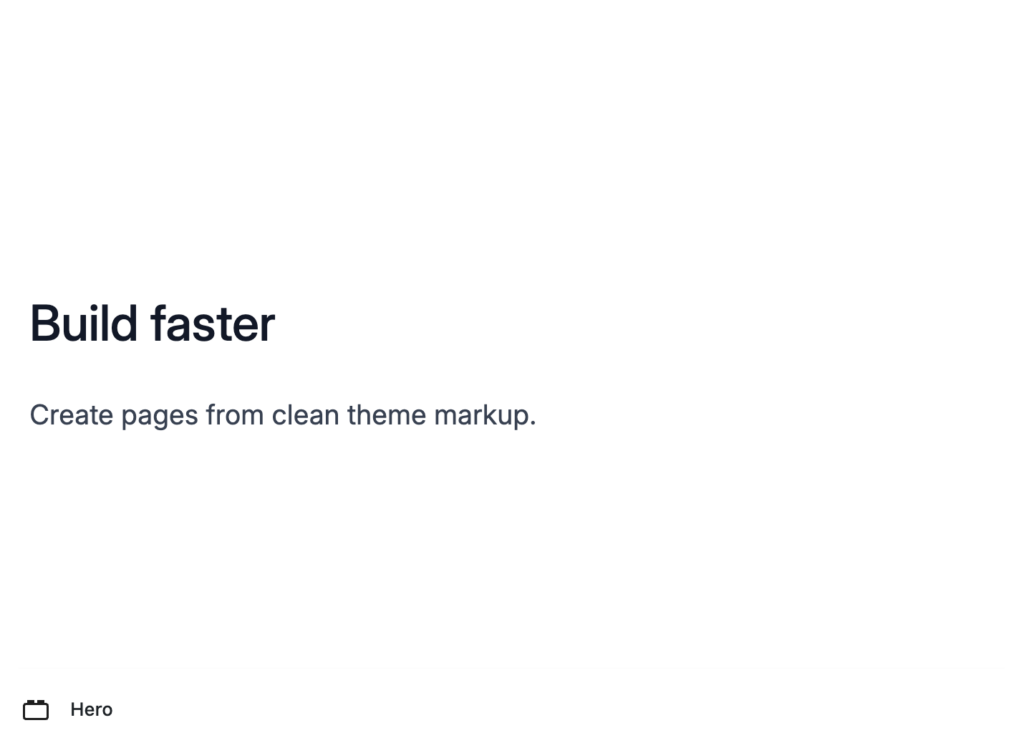
That changes the feeling of block development.
Instead of thinking, “I need to create a WordPress block,” I can think, “I need a reusable section of theme markup that can appear in the editor.”
That is a healthier abstraction for many custom sites.
TemplateX also supports more advanced block concerns, such as fields, variants, auto-editable content, server previews when runtime data is needed, and editor configuration. But the basic idea remains simple: the block starts as theme-owned markup.
Editor tooling matters
A custom template language is only pleasant if the editor understands it.
That is why I also built a VS Code extension for TemplateX.
The extension adds TemplateX-aware syntax highlighting, formatting, auto-closing behavior, completions, hover information, definitions, rename/refactoring support for partials, diagnostics, and optional live WordPress metadata.
This matters more than it sounds.
If a template language has no editor support, every file feels slightly broken. Formatting becomes unreliable. Syntax highlighting becomes noisy. Rename operations become manual. Partial references become easy to mistype. The compiler can catch some of those problems, but the developer should not have to wait until build time for every bit of feedback.
Why this site uses it
This website is the proof of concept.
It is not a demo sitting next to the real work. It is built with the same approach described here.
That matters because theme architecture only becomes honest when you maintain it. A pattern can look good in a short code sample and become annoying after three weeks of real use. The real test is whether you still want to use it after writing templates, changing styles, creating blocks, fixing editor previews, and publishing the site.
So far, TemplateX has made the work feel calmer.
The source files are easier to read. Layouts and templates have clearer boundaries. Gutenberg previews are closer to the frontend. Blocks feel like theme markup instead of a separate application. Asset loading feels less manual. The compiler handles repetitive WordPress glue that I do not want to keep rewriting.
That is what I mean by elegant.
Not fancy. Not magical. Not abstract for the sake of abstraction.
Elegant means the boring parts are handled consistently, so the theme code can focus on the website.
Conclusion
WordPress theme development can be elegant, but not by pretending WordPress is something else.
The trick is to respect WordPress as the runtime and improve the layer where theme developers spend their time.
TemplateX is my attempt at that. It keeps WordPress in charge of content, routing, editing, plugins, and rendering conventions. Then it adds a compiler, a view structure, block generation, editor-preview styling, asset handling, admin tooling, documentation, and editor support around that core.
The result is still a WordPress theme.
It just feels better to write.